Float it. Pin it. Hide it.
Move the window around your desktop, pin it above other apps, or hide it until you want to play again. On Mac, bring it back from the menu bar.
RULETA · DESKTOP FIDGET · ENGLISH
A desktop fidget widget for Mac: pick a color, flick the wheel, and watch the ball settle.
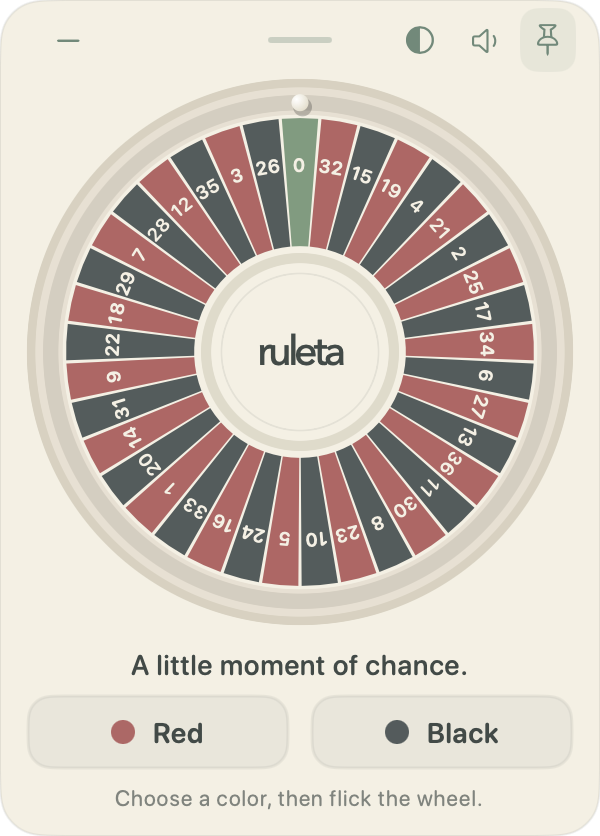
Ruleta is a standalone desktop app with a compact, movable window. Drag the wheel with your mouse or trackpad, release, and follow the rolling ball. Choose again whenever you feel like another round.
Get Ruleta · PLN 32One-time purchase. Apple silicon · macOS 14 or later.
Your browser could not play the video. Download the video
Move the window around your desktop, pin it above other apps, or hide it until you want to play again. On Mac, bring it back from the menu bar.
Keep the rolling ball sound faint, adjust the volume, or mute it completely. Choose a light, dark, or system appearance.
No account is needed. Starting the 3-day trial and unlocking a purchase need an internet connection. Play then works offline while that access is valid.
There are no paid spins, cash bets, or prizes. Each round starts with a fresh red or black choice. Green 0 matches neither color.
Ruleta is a standalone floating app, rather than a WidgetKit or Notification Center widget. You can move and pin its window directly on your desktop.
The Mac app is a free download with a 3-day trial, then a one-time purchase of PLN 32. Any currency conversion is confirmed before payment. You can buy before or after downloading.
Windows and Linux builds are previews awaiting native-system testing. The website purchase currently provides the Mac release.